Checkers rules for two players
Objective
Leave your rival with nothing to do
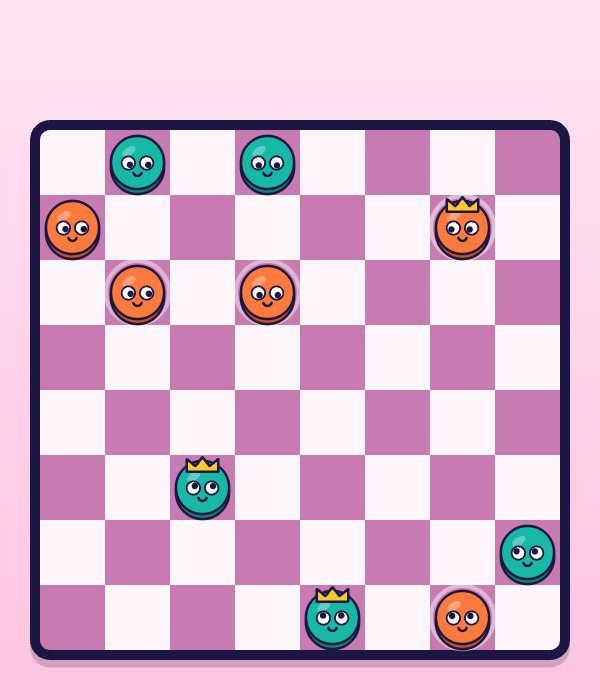
The game is won when the other side has lost every piece or has pieces left but no legal move at all.
Checkers 2 player uses the standard American rules, also known as English draughts: an eight by eight board, twelve pieces per side, all on the dark squares. Red starts at the bottom and always makes the first move.
Rules of the match
Step forward diagonally
A normal piece slides one square diagonally towards the far side, always onto an empty dark square. Choose a piece and the possible landing squares light up as yellow dots.
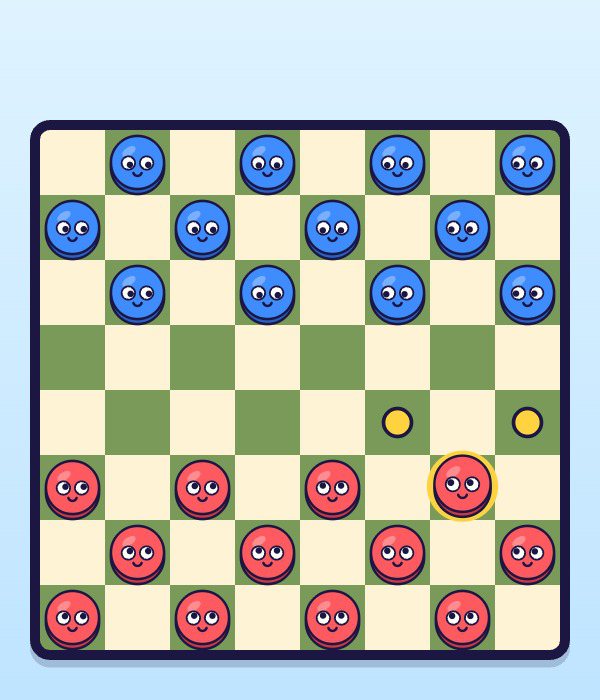
✓ Yellow dots mark where the chosen piece may go Capture by jumping, and you must
Hop over an enemy piece that sits diagonally next to yours into the empty square behind it, and that piece leaves the board. If any capture is available you are obliged to take one, and a piece that lands where it can jump again keeps going in the same turn.
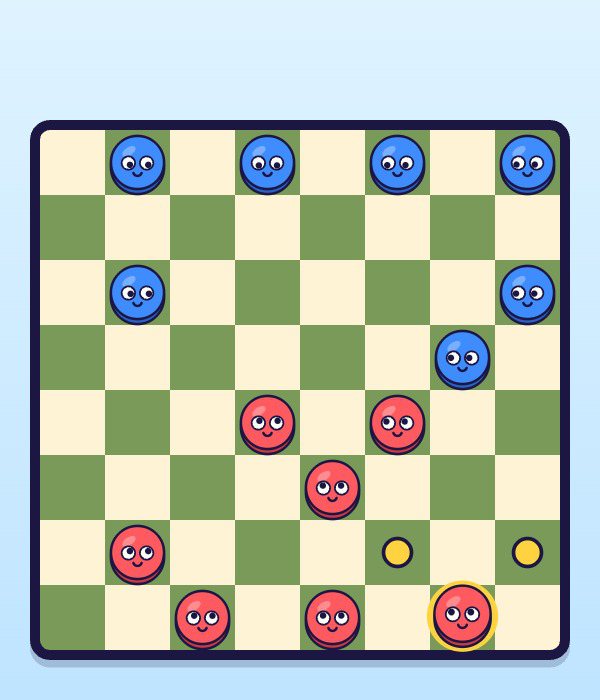
✓ Mid-game: pieces close enough to start trading Crown a king
A piece that reaches the opponent's back row is crowned. Kings move and capture one square diagonally in all four directions, forwards and backwards.
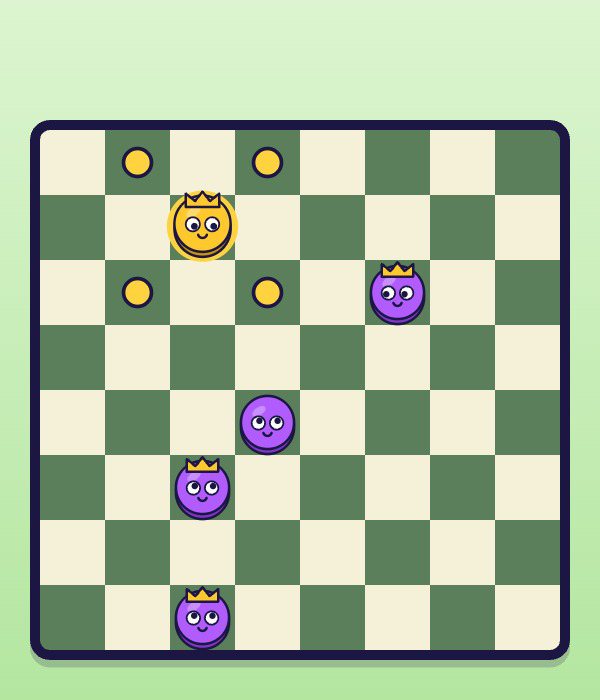
✓ Crowned pieces can step back as well as forward
Who presses what· Playing checkers with a friend on one device
- ▸On the start screen choose 2 players. The bar above the board says Red to move or Blue to move.
- ▸Click or tap one of your pieces, then click or tap a yellow dot. Only pieces with a legal move can be picked.
- ▸Picked the wrong piece? Choose a different one of your own; the selection simply switches.
- ▸Multi-jump: tap each landing square in turn. When only one route is possible, the game finishes the chain for you.
- ▸Red plays from the bottom edge and blue from the top. On a tablet lying flat, the blue player can sit across the table.
- ▸The score line counts red wins, draws and blue wins until you leave the mode, so you can play a series.
- ▸The round arrow button returns to the start screen to swap mode or level.
If eighty moves go by without a single capture, the game is declared a draw, which stops two kings from chasing each other forever.
Checkers strategy that works against people
Human opponents rarely lose to a single blunder. They lose to forced captures they did not see coming.
- 01
Crowded middles are where two-for-one trades appear Use the forced jump as a trap
Because capturing is compulsory, you can offer one piece and choose exactly where your opponent lands. Arrange it so the landing square lets you take two in return.
- 02
Guard your back row
While your back row is occupied, the other side cannot crown. Keep two of those pieces home until late in the game.
- 03
Advance with a partner
A piece with a friend directly behind it cannot be jumped from the front. Lone runners get picked off.
- 04
Prefer the centre early
Central pieces have two forward options and control more squares. Edge pieces are safe but slow.
- 05
Count before you trade
When you are ahead in pieces, even swaps help you. When you are behind, avoid them and look for a king instead.
Modes and computer levels
Two players or computer, Easy to Hard: you decide before the first move. Wins, draws and losses against the computer are kept for each level.
- Tier 1
Mode: 2 players
Opponent: A friend
How it plays: Shared screen, red moves first, a running series score.
- Tier 2
Mode: Easy
Opponent: Computer
How it plays: Thinks one move ahead and sometimes moves at random.
- Tier 3
Mode: Medium
Opponent: Computer
How it plays: Searches four moves deep and does not hand out free pieces.
- Tier 4
Mode: Hard
Opponent: Computer
How it plays: Searches seven moves deep and sets up forced captures.
- Tier 5
Mode: Board colours
Opponent: Computer modes
How it plays: Every three wins against the computer switch the board to a new set: Classic, Candy, Forest, Ocean, Night.
Checkers 2 Player FAQ
- How do we play checkers 2 player on one computer?
- Choose 2 players on the start screen. Red moves first, then you pass the mouse or take turns tapping. The game shows whose turn it is and only allows legal moves.
- Can we play from two different devices?
- No, there is no online play. Both players use the same screen, side by side or across a table with a tablet.
- Is jumping compulsory?
- Yes. Whenever a jump exists anywhere on the board, taking one is mandatory. With several options you may choose which jump to make.
- How far can a king move?
- One square at a time, diagonally, in any of the four directions. These are American rules, so kings do not fly across the board.
- When is a game a draw?
- When eighty moves pass with no capture, or when you simply agree to restart from the menu.
- Is it free?
- Yes. Duo2Go is free to play in the browser, with no sign-up and no download.
- Which devices can we use?
- Any laptop, Chromebook, tablet or phone with a browser. Tap, click or use a trackpad; for two players a tablet is the comfiest screen.